Call Us: +91-7042640351, 9891868324

HP Victus Display Flickering? Causes, Symptoms, and Solutions
By Admin | 22 Jan 2026
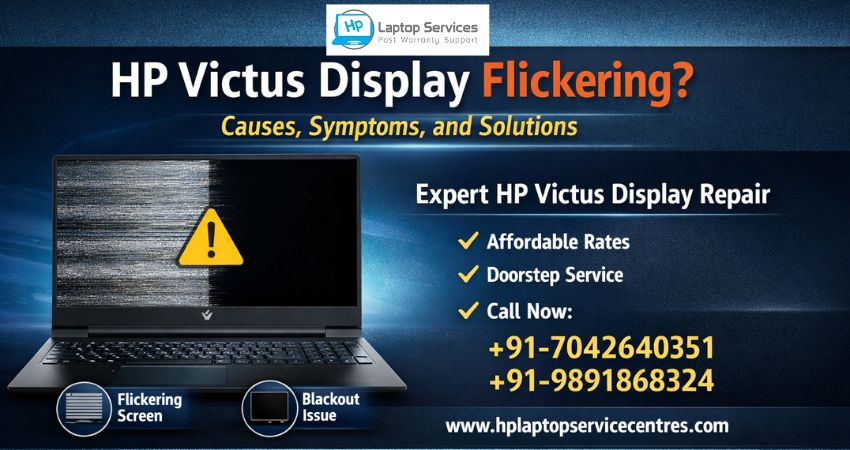
The HP Victus display is designed to deliver smooth visuals and immersive gaming performance. However, many users report frustrating issues like screen flickering, blackouts, brightness fluctuations, or random display distortions. These problems not only interrupt gaming and work but can also indicate deeper hardware or software faults.
If your HP Victus laptop display is flickering, ignoring it can lead to permanent screen or motherboard damage. In this detailed guide, we’ll explain why HP Victus display issues occur, common symptoms to watch for, and the best solutions, including when professional HP Victus repair is necessary.
Understanding HP Victus Display Flickering
Display flickering means the screen rapidly blinks, dims, brightens, or shows unstable visuals. This issue may appear occasionally or continuously, depending on the root cause. HP Victus models, especially gaming variants, are more prone due to high GPU load, thermal stress, and driver dependencies.
Common Causes of HP Victus Display Flickering
1. Graphics Driver Issues
Outdated, corrupted, or incompatible graphics drivers are one of the most common reasons behind HP Victus display flickering. Automatic Windows updates or failed driver installations often trigger display instability.
Signs:
- Flickering after Windows updates
- Screen blinking while gaming or watching videos
- Temporary black screen on startup
2. Faulty Display Panel
The HP Victus display panel itself may develop internal defects over time. Manufacturing defects, physical pressure, or aging backlight components can cause flickering or lines on the screen.
Signs:
- Horizontal or vertical lines
- Flicker increases at certain brightness levels
- Display issue visible even in BIOS
3. Loose or Damaged Display Cable
A loose or damaged display flex cable connecting the screen to the motherboard can cause intermittent flickering. This often happens due to frequent lid movement or hinge stress.
Signs:
- Flickering when opening or closing the laptop lid
- Screen goes blank when moved
- Display works only at certain angles
4. Overheating and GPU Stress
HP Victus laptops are performance-oriented machines. Excess heat from prolonged gaming or heavy tasks can affect the GPU, causing display flickering or sudden blackouts.
Signs:
- Flickering during gaming sessions
- Sudden display loss under load
- Fan noise increases before screen issues
5. Power Supply or Battery Problems
Inconsistent power delivery from a faulty charger or degraded battery can disrupt the HP Victus display, especially when switching between battery and charging modes.
Signs:
- Flickering when plugging or unplugging charger
- Brightness changing automatically
- Laptop shuts down with display glitches
6. BIOS or Firmware Issues
An outdated BIOS can conflict with newer hardware drivers, leading to HP Victus display flickering and performance instability.
Signs:
- Display problems after system updates
- Random flicker during boot
- No improvement after driver reinstall
Symptoms You Should Not Ignore
If you notice any of the following, immediate HP Victus repair is recommended:
- Persistent screen flickering
- Display going black randomly
- Ghosting or shadow images
- Unusual brightness changes
- Screen shaking or jittering
- Lines or dead pixels on the display
Ignoring these signs can result in permanent display failure or GPU damage.
DIY Troubleshooting (Short-Term Fixes)
Before opting for professional service, you may try these basic checks:
- Update or reinstall graphics drivers
- Adjust refresh rate in display settings
- Disable adaptive brightness
- Test with an external monitor
- Check power adapter and battery health
If flickering persists after these steps, avoid repeated DIY attempts, as improper handling may worsen the issue.
Professional Solutions for HP Victus Display Issues
1. HP Victus Display Replacement
If the panel is faulty, replacing the HP Victus display is the safest and most effective solution. Genuine panels ensure correct resolution, refresh rate, and color accuracy.
2. Display Cable Repair or Replacement
Loose or damaged cables are replaced or reseated professionally to restore stable visuals without screen replacement.
3. GPU & Motherboard Diagnosis
For display flickering linked to GPU overheating or motherboard issues, advanced diagnostics are required. Professional technicians can repair or reball components where possible.
4. BIOS & Firmware Optimization
Updating or resetting BIOS settings correctly helps eliminate compatibility issues that cause HP Victus display instability.
Why Choose HP Laptop Service Centers for HP Victus Repair?
At HP Laptop Service Centers, we specialize in HP Victus display repair and replacement, offering reliable solutions for both minor and major issues.
Our Key Services Include:
- Affordable repair rates
- Doorstep HP Victus repair services
- Out-of-warranty laptop repair
- Multi-laptop brand repair services
Dell, Lenovo, Acer, Asus, Apple, Samsung - Genuine display panels and parts
- Experienced HP-certified technicians
We ensure accurate diagnosis, transparent pricing, and long-lasting solutions.
When Should You Visit a Service Center?
You should seek professional help if:
- Flickering continues after software fixes
- External monitor works but laptop display doesn’t
- Display flicker worsens over time
- Laptop is out of warranty
- Gaming performance drops due to screen issues
Early repair saves cost and prevents permanent damage.
Contact HP Laptop Service Centers Today
If you are facing HP Victus display flickering or screen issues, don’t wait for the problem to worsen. Our expert team is ready to assist you with fast and reliable service.
Call Now:
+91-7042640351 | +91-9891868324
Final Thoughts
The HP Victus display is a critical component for gaming and productivity. Flickering issues may start small but often indicate serious underlying problems. Whether it’s a driver fault, cable issue, or screen damage, timely HP Victus repair ensures your laptop performs smoothly and lasts longer.
Find us on Google - BSS Laptop Repair Center
Recent Post


Looking For A Fast & Reliable Laptop Repair Service
We have professional technicians, fast turnaround times and affordable rates. Book Your Repair Job Today!
We specialize in all types of laptop services and provide reliable and quality door step service to our clients